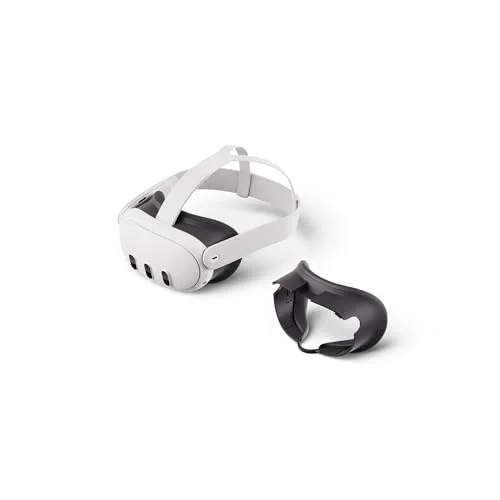
Meta has done more than anyone to take VR mainstream, and the Quest 3 is the headset that earns that position. It is not the cheapest, nor the most powerful on paper, but it strikes the balance that matters most: genuinely good visuals, no PC required, and a vast catalogue of games and apps to actually play. That combination is exactly why it is our best overall pick.
Who is the Meta Quest 3 for?
The Quest 3 is the right headset if you want the most complete VR experience without tying yourself to a gaming PC. It is a standalone unit, so the computer is built in: you charge it, draw a play boundary on your floor, pull it on and you are inside a game within minutes. That makes it ideal for first-time buyers, for families, and for anyone who wants to play in the living room rather than chained to a desk. It is equally happy seated for a film on a giant virtual screen or standing for a room-scale game.
It is less obviously the pick if you are on the tightest budget, in which case the cheaper Quest 3S plays the same games, or if you specifically want the absolute best graphics from a powerful PC, where a tethered headset such as the Valve Index still has an edge. For the overwhelming majority of people, though, the Quest 3 is the sensible default.
How the Meta Quest 3 performs
Visuals and lenses
The headline upgrade over the old Quest 2 is the lenses. The Quest 3 uses pancake lenses, which give a much larger clear "sweet spot" than the older Fresnel design, so the image stays sharp across far more of your view and there is less of the blurry edge you used to tolerate. Paired with dual LCD panels at 2064 by 2208 pixels per eye, text is crisp and games look genuinely good. The fast Snapdragon XR2 Gen 2 chip keeps everything running smoothly, with no stutter in the demanding titles.
Mixed reality and passthrough
This is where the Quest 3 pulls ahead of older headsets. Its full-colour passthrough cameras let you see your real room in colour, so mixed-reality apps that place virtual objects in your actual space finally feel useful rather than gimmicky. It also means you can answer the door or find a controller without taking the headset off, which sounds minor until you live with it.
The game library
No rival comes close to the Meta store for sheer breadth. From hits such as Beat Saber and Asgard's Wrath 2 to fitness apps and social spaces, there is more to play here than on any other headset, and the Quest 3 runs all of it. If you later buy a gaming PC, the Quest 3 can also link to it over a cable or wirelessly to play PC VR titles, so the library only grows.
Comfort and battery
The Quest 3 is well balanced and comfortable for most sessions, though the standard soft strap is functional rather than plush. Heavy users often add an aftermarket head strap with a rear cradle, which improves the balance and is a cheap, worthwhile upgrade. Battery life lands at roughly two to three hours, which is normal for a standalone headset and enough for most play sessions before a recharge.
The honest downsides
There is very little to criticise, but two things are worth flagging. The battery life means longer sessions need a top-up or a battery-equipped strap, and the included strap, while perfectly usable, is the first thing keen users replace. Neither is a flaw in the core headset, and both are easily addressed. If your budget will not stretch to the Quest 3, the Quest 3S gives you the same games and chip with slightly older lenses for less, and we cover that trade-off in our buying guide.